
Problem
When using an HTTP Proxy server for authenticating your Web requests, the basic authentication may fail with the following exception:
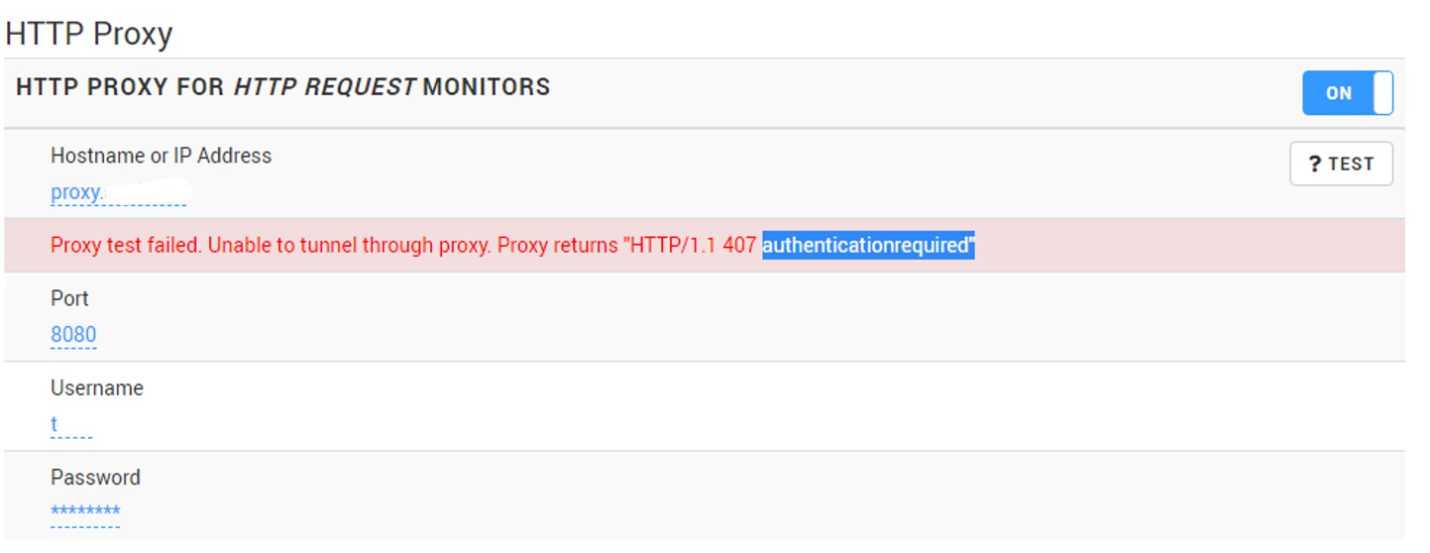
This exception occurs because proxies requiring Basic authentication when setting up a tunnel for HTTPS no longer succeeds by default starting from Java 8 Update 111.
Solution
To solve this issue, you need to reactivate the authentication scheme by removing Basic from the jdk.http.auth.tunneling.disabledSchemes networking property, or by setting a system property of the same name to "" ( empty ).
To reactivate the authentication scheme from Monitoring Studio X:
- Log in to the Monitoring Studio X Web Interface
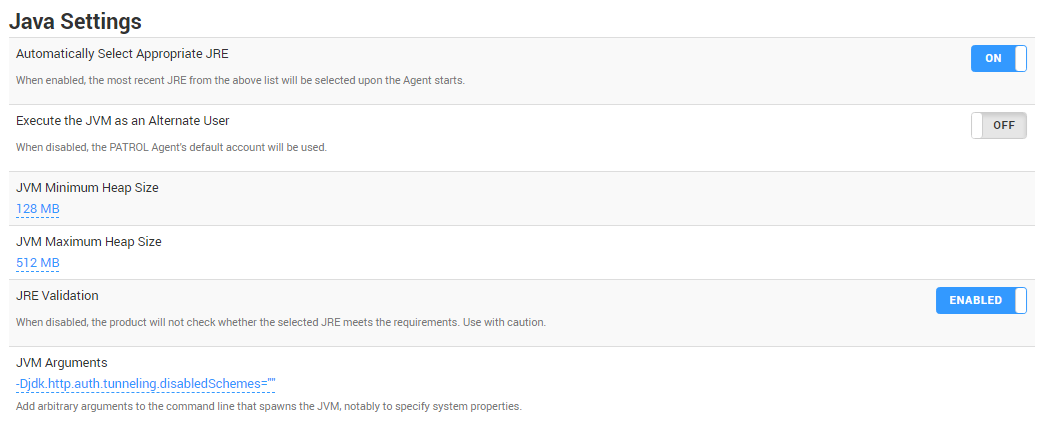
- Go to Agent > Java Settings
- In the JVM Arguments field, enter:
-Djdk.http.auth.tunneling.disabledSchemes=""
Related Topics
- Monitoring SharePoint 2016 and 2019 with Monitoring Studio X
- Monitoring Studio X Unexpectedly Hangs or Consumes High CPU When Running a JRE Higher Than 8
- Identifying and Locating Storage Devices in BMC Helix Operations Management
- How to display the HTTP Status parameter in Monitoring Studio X
- Monitoring Microsoft SQL Server with Monitoring Studio X v10.4+,using Active Directory-integrated Authentication